It's simpler than you think.
Most systems make you adapt to their way of doing things. Just Queue works the way your business process already works — we just make it visible, and trackable.
The old way vs the Just Queue way.
- Operator picks the right product from a list
- Finds the right screen
- Then scans the item
- Hopes they picked the right option
- Wrong choice? Start over.
Your operator scans.
That's it. The system figures out the rest.
A day in the life of an operator.
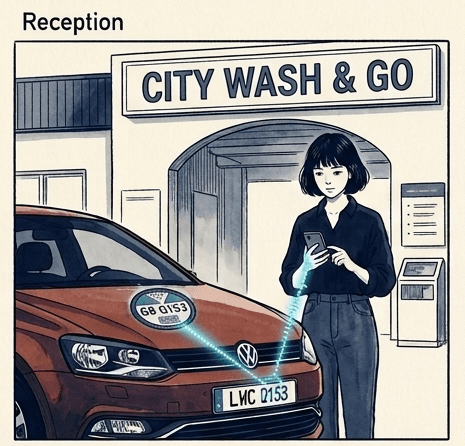
Morning · First customer arrives
Sarah is on reception at a busy car wash. A red VW Polo pulls in. She opens the Just Queue app, taps “Start Scanning,” and points her phone at the licence disc. Two seconds.
The screen says: “This vehicle isn't in the queue yet. Would you like to add it?” Sarah taps “Add.” A list of products appears. She taps “Premium Car Wash.” Done.
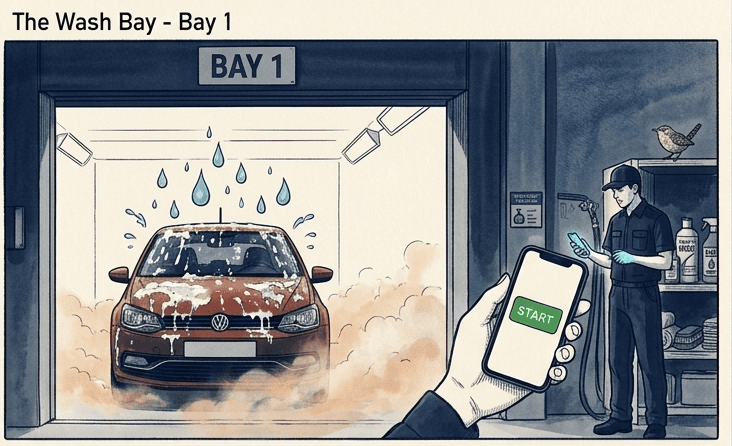
Station 1 · Pre-Wash
Mike is at the pre-wash bay. He scans the same Polo. The screen doesn't ask him to choose anything. It already knows. It says: “Would you like to start Pre-Wash Inspection?”
Tap. Work. Scan again. “Finish Pre-Wash Inspection?”Tap. The car moves to the next step automatically.
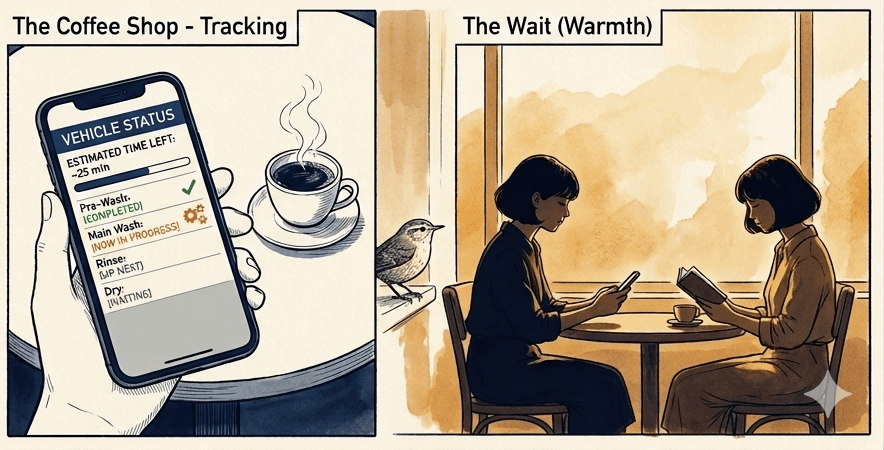
Meanwhile · The customer
The Polo's owner is at a coffee shop around the corner. On their phone, they see: “Pre-Wash — Complete. Main Wash — In Progress. Estimated completion: 25 minutes.”
They order another coffee. They don't call the car wash. They don't need to.
Scan. Confirm. Done.
Scan
QR code, barcode, or licence disc — your operator points and scans.
Confirm
One question. One button. The system already knows the context.
Track
Customers see real-time updates. Managers see live analytics.
Ready to show your customers what your service really looks like?
Start free. No contracts. No setup fees. No consultants needed. You'll see results on day one.